
A free map maker for D&D campaigns
Loremapper is a free map maker for game masters. Generate the continent your campaign happens on, add kingdoms, cities, roads and dungeons, hide what the party has not explored under fog of war, and hand your players a map that shows only what their characters know.
What game masters use
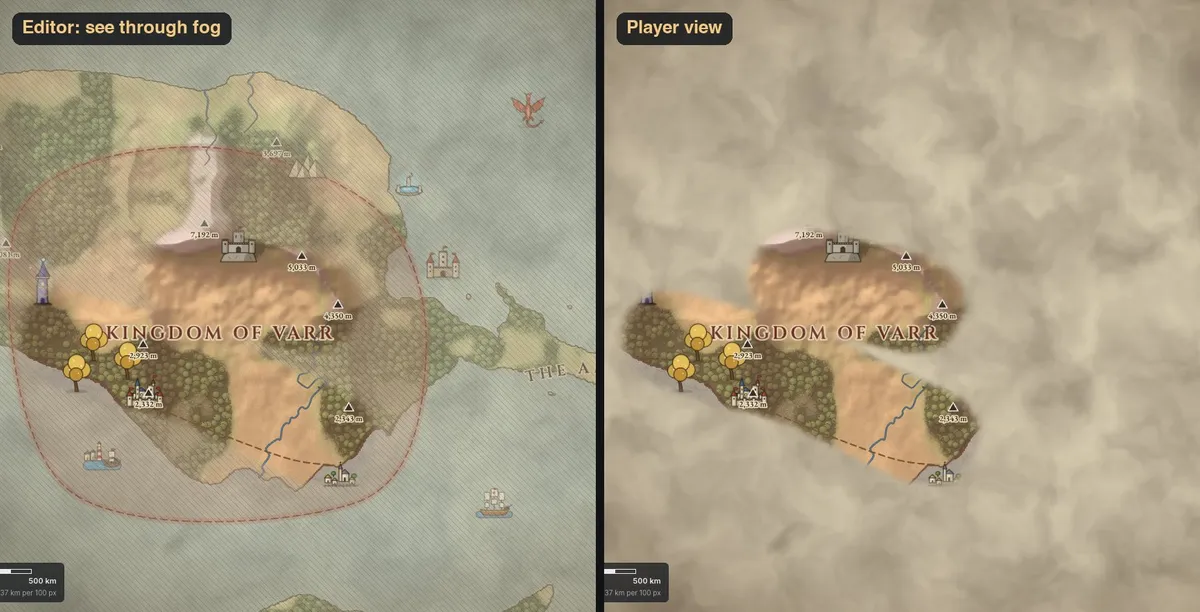
| Fog of war | Paint fog over unexplored lands and reveal it as the party travels. A see-through preview keeps it out of your way while you edit. |
|---|---|
| Player map | Export the complete map for yourself and a "revealed areas only" version for the players. |
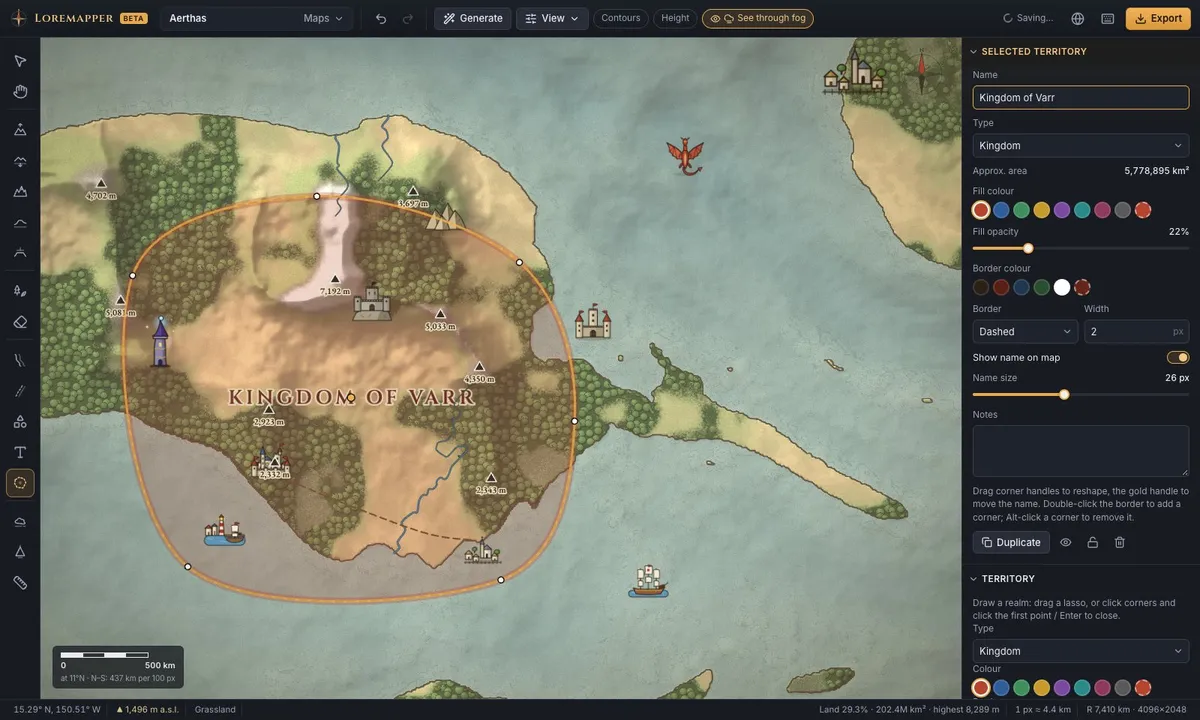
| Kingdoms and borders | Draw realms with coloured, dashed or solid borders, named on the map. |
| Cities, castles, monsters | 57 illustrated icons, or your own tokens and artwork in PNG, WebP or SVG. |
| Distances | The map has a real scale: the measure tool tells how far it is to the next town, so travel times in your story add up. |
| Names | Town, river and region names in groups you style together; small names hide when zoomed out. |
| Print and screen | PNG images up to 12,288 px wide for printing, a virtual tabletop or a campaign wiki. |
Making a campaign map, step by step
- Create a flat map the size of your setting — a 500 km kingdom or a 3,000 km continent — and generate the land, or raise it by hand.
- Draw the realms the story needs and name them. Place the capital, the towns and the places of adventure.
- Connect them with roads; measure the distances so travel times feel right.
- Cover everything the party has not seen with fog of war.
- Export two pictures: the complete map for you, the revealed one for the players. Reveal more as the campaign goes on.
Free, and your maps stay yours
There is no account and no subscription. Maps are saved in your browser, and a project file keeps a full backup you can move to another computer. New to map making? Read how to make a fantasy map, or learn about the world generator.