
Fantasy map generator
Loremapper's fantasy map generator makes a whole world from a seed in seconds: continents and islands, mountain ranges, rivers, climate, forests and deserts, and optionally named towns. Every part of it can then be edited by hand. It is free, open source and runs in the browser.
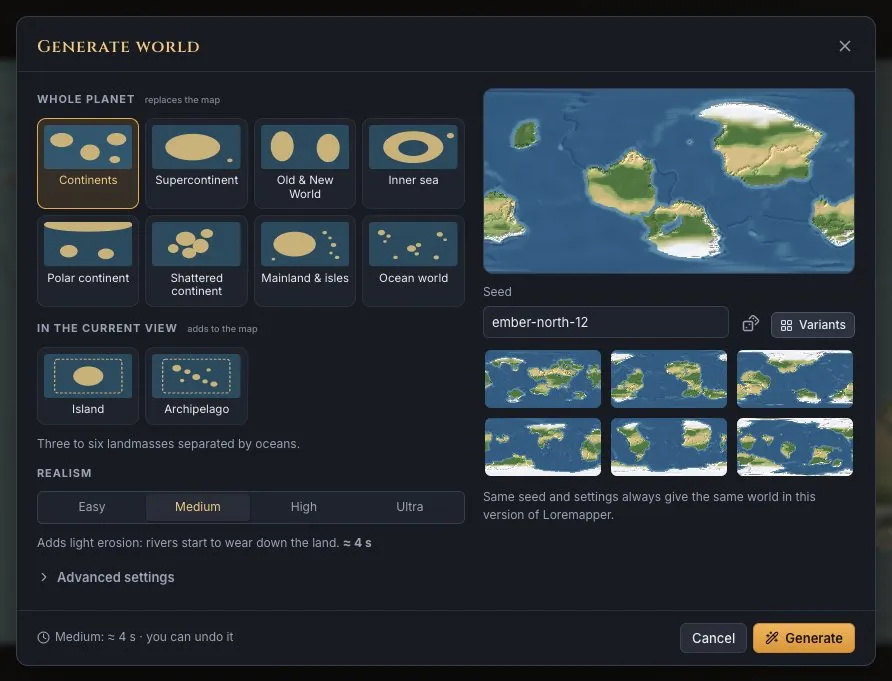
What it generates
| Map types | A whole planet that wraps around, or a flat map from a 250 km region to a 10,000 km continent, at its true scale. |
|---|---|
| Shapes | Continents, a supercontinent, archipelagos; for smaller maps: part of a continent, a coast, a peninsula, inland, an island, an island with islets, an inner sea, a meteorite crater. |
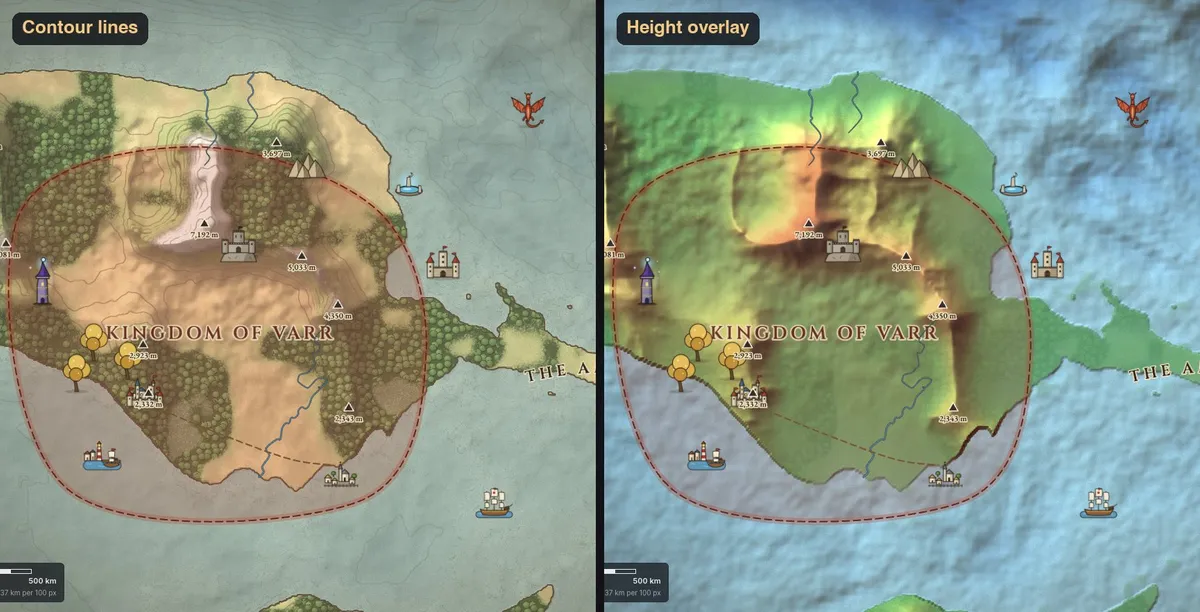
| Relief | Real elevation in metres. Mountain ranges with valleys along them and side valleys down their ridges, foothills, plateaus and plains. |
| Water | Rivers that start in the uplands and flow downhill to the sea, growing as tributaries join; lakes in closed hollows. |
| Climate | Tropical to polar. On flat maps you set the prevailing wind: slopes facing it are wet and wooded, the land behind a range lies in its rain shadow. |
| Biomes | Forest, grassland, steppe, desert, swamp, farmland, snow and rock, placed by climate, height and water. |
| Settlements | Optional named capitals, towns, castles and watchtowers where people would build them: on rivers, coasts and passes. |
Why the maps look believable
Most random map generators paint noise and call the high parts mountains. Loremapper works the way the land itself does. Ranges rise in belts, rivers carve valleys into them and carry the water to the sea, and the climate follows the wind and the mountains. That is why a coast looks like a coast, rivers never run uphill, and a desert sits where the rain cannot reach. A mountain range is 100–200 km wide whether your map is 500 km or 5,000 km across, so a bigger map shows more of the land, not the same shapes blown up.
How to generate a fantasy map
- Open the editor and create a map: a planet, or a flat map of the size you need.
- Press Generate, pick a shape and a climate. Type a seed like
amber-drake-7to get the same world again, or press the dice for a new one. - Choose the realism: higher levels let the river network settle further for longer rivers and cleaner valleys.
- Generate. Anything you do not like can be undone, generated again or edited with brushes.
Then make it yours
A generated world is a starting point. Raise or lower land with brushes, edit the generated mountain ranges, draw rivers and roads, paint biomes, draw kingdom borders, and name places. See how to make a fantasy map step by step, orhow game masters use it for D&D.